ACI 303.1-97
现浇建筑混凝土标准规范
ACI 303.1-97
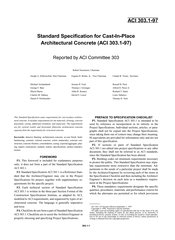
Standard Specification for Cast-In-Place Architectural Concrete
标准信息
STANDARD INFORMATION- 标准编号
- ACI 303.1-97
- 所属分类
- ACI 美国混凝土学会标准
- 发布机构
- American Concrete Institute
- 版本年份
- 1997
- 文件语言
- 英语
- 文件格式
- 文件页数
- 6 页
- 文件大小
- 61.8 KB
中文名称为参考译名,文件语言以原文为准。
· 更新:
标准简介
OVERVIEW中文简介
该标准规定了现浇建筑混凝土的技术要求,包括材料、模板、混凝土浇筑、养护、附加处理和检验等内容。其适用范围为垂直和水平建筑混凝土,并与结构混凝土要求相区分。
English summary
This standard specification states requirements for cast-in-place architectural concrete, including materials, forming, concrete placement, curing, additional treatment, and inspection. It applies to vertical and horizontal architectural concrete and is separate from structural concrete requirements.
以上为根据文件整理的内容简介。
相关标签
标准内容预览
DOCUMENT PREVIEWThe user wants me to convert an OCR image of an ACI Standard PDF page into an HTML fragment.
Let me analyze the page content:
Page header: "303.1-4" on left, "ACI STANDARD" on right - these are headers, should be ignored.
The page has two columns:
- Left column: CONTENTS section with sections 1-6, then SECTION 1—GENERAL with 1.1 Scope and 1.2 Definitions
- Right column: continuation of definitions (Coloring admixture/agent, Contractor, Contract documents, Day, Design Reference Standard, Excessive contrast, Field Mockup, Kerf, Layout drawings, Overlay plywood, Owner, Project drawings, Project specifications, Reference standards, Required)
This is a two-column layout. I should use the layout-columns table approach.
Let me transcribe carefully.
Left column:
CONTENTS
Section 1—General, p. 4
1.1—Scope
1.2—Definitions
1.3—Reference organizations
1.4—Reference standards
1.5—Submittals
1.6—Quality assurance
1.7—Delivery, storage, and handling
1.8—Other general requirements
Section 2—Concrete for architectural cast-in-place construction, p. 7
2.1—General
2.2—Products
2.3—Execution
Section 3—Reinforcement, tie wire and bar supports, p. 8
3.1—General
3.2—Products
3.3—Execution
Section 4—Formwork for architectural concrete, p. 8
4.1—General
4.2—Products
4.3—Execution
Section 5—Architectural treatments, p. 9
5.1—General
5.2—Products
5.3—Execution
Section 6—Miscellaneous, p. 10
6.1—General—Scope
6.2—Products
6.3—Execution
SECTION 1—GENERAL
1.1—Scope
1.1.1—This Standard Specification covers requirements for the materials and production of cast-in-place architectural concrete having as cast or treated surfaces which are listed in the specifications and located on the plans.
1.1.2 The provisions of this Standard Specification shall govern unless otherwise specified in the Contract Documents.
1.2—Definitions
The following definitions have been used in writing the provisions of this specification.
Accepted—Accepted by or acceptable to the Architect/Engineer.
Architect/Engineer—The architect, engineer, architectural firm, engineering firm, or architectural and engineering firm issuing Project Drawings and Specifications, or administering the work under the Contract Documents.
As-cast architectural concrete—Architectural concrete that requires no further surface treatment after stripping of the forms, except for possible repairs.
Right column:
Coloring admixture/agent—A blended mixture of color oxides, water-reducing agent and a plasticizer.
Contractor—The person, firm, or corporation with whom the Owner enters in an agreement for construction of the Work.
Contract documents—Documents including Project Drawings, Specifications, Addendums, Bulletins and Change Orders covering the required Work.
Day—24 consecutive hours.
Design Reference Standard—Sample prepared under the Architect/Engineer's direction to be used by reference for bidding purposes and construction of the Field Mockup; having a minimum size of 18 × 18 in. (460 × 460 mm) by 2 in. (50 mm) thick, exhibiting the acceptable surfaces, color and texture; and listing the sources and proportions of materials used.
Excessive contrast—Degree of architectural concrete construction blemish determined unacceptable by comparison to the field mockup and remedial work or repair is required.
Field Mockup—A sample, which may be specified as to size, constructed in the field by the Contractor incorporating the forming, materials, and procedures proposed for the architectural concrete, which is to be used for comparison during periodic and final acceptance. Upon approval of the Architect/Engineer, this sample may be a portion of a wall not scheduled for architectural treatment, such as a basement wall, which can be preserved for viewing until the final acceptance of the architectural concrete.
Kerf—A saw cut placed on the backside of a wood rustication strip to allow for expansion due to possible water absorption.
Layout drawings—Drawings showing forming details for construction of formwork in the field.
Overlay plywood—A plywood coated with a factory applied paper overlay that is impregnated with phenolic resins. MDO is a Medium Density Overlay containing 35–45 percent phenolic resin by weight of the overlay. HDO is a High Density Overlay containing 45–65 percent phenolic resin by weight of the overlay. Finish birch has an overlay which contains a minimum of 65 percent phenolic resin by weight of the overlay.
Owner—The corporation, association, partnership, individual, or public body or authority with whom the Contractor enters into an agreement and for whom the Work is provided.
Project drawings—The drawings that, along with the Project Specifications, complete the descriptive information for constructing the Work required or referred to in the Contract Documents.
Project specifications—The written documents that specify requirements for a project in accordance with the service parameters and other specific criteria established by the Owner.
Reference standards—Standards of a technical society, organization, or association, including the codes of local or state authorities.
Required—Required by this Specification or the Contract Documents.
Now, the page starts with CONTENTS which is a heading. The instruction says page must start with h2. The CONTENTS is a heading. Then SECTION 1—GENERAL is also a heading.
Since this is a two-column layout, I'll use the layout-columns table. But the CONTENTS heading spans... actually in the original, CONTENTS is at the top of the left column. The right column starts with definitions.
Hmm, this is tricky. The page is a two-column layout. The CONTENTS heading is in the left column. The right column is a continuation of definitions from a previous page (since 1.2 Definitions started in left column and continues in right column).
So the structure is: two columns. Left column has CONTENTS list + SECTION 1 heading + 1.1 + 1.2 start. Right column has continuation of 1.2 definitions.
I'll represent this as a layout-columns table with two td cells.
Let me think about headings. The page must start with h2. CONTENTS could be h2. Then SECTION 1—GENERAL could be h2 or h3. Since CONTENTS is the first heading, I'll make it h2. SECTION 1—GENERAL is a major section heading, also h2 perhaps. But within a table cell, can I have h2? The allowed tags include h2-h5, and they can be inside td presumably. The example shows h2 at top level. But for two-column layout, headings inside td should be fine as long as tags are allowed.
Actually, the rule says "每页输出必须以
开头(页面内标题)". So the first element must be h2. If I use a layout-columns table, the table would be the first element, not h2. Hmm.
Let me reconsider. Maybe I should not use layout-columns table for the whole page. The CONTENTS heading is at top of left column. The right column top is "Coloring admixture/agent". These are at the same vertical level roughly.
Option: Put CONTENTS as h2 first, then the two-column table. But the right column content (definitions) is at the same level as CONTENTS visually. However, semantically, the right column is a continuation of the left column's 1.2 Definitions.
Actually, looking carefully: The left column ends with "As-cast architectural concrete—..." and the right column begins with "Coloring admixture/agent—...". So the right column is a direct continuation of the definitions list that started in the left column under 1.2 Definitions.
So the natural reading order is: CONTENTS (left top), then SECTION 1, 1.1, 1.2 (left), then continue definitions (right). The CONTENTS is a separate block at top-left.
Hmm, but visually the right column starts at the same height as CONTENTS. This is a magazine-style two-column where CONTENTS is in column 1 top, and column 2 top is the continuation of definitions from... wait no. The definitions 1.2 start in left column at the bottom. The right column top is "Coloring admixture/agent" which alphabetically follows "As-cast architectural concrete". So the right column is the continuation of the left column's bottom.
So reading order: left column top-to-bottom, then right column top-to-bottom. That's standard two-column reading.
So CONTENTS is at top of left column. Then SECTION 1, 1.1, 1.2 in left column. Then right column continues 1.2 definitions.
For HTML, I think the cleanest faithful representation: Since the page must start with h2, and CONTENTS is the first heading, I'll do:
CONTENTS
then the contents list... but the contents list is in left column while right column has definitions at same level. This is the magazine layout problem.
Given the constraints, I think using layout-columns table is the intended approach for two-column pages. But then the page wouldn't start with h2.
Let me re-read rule 9: "每页输出必须以
开头(页面内标题)". Hmm. Maybe I can put h2 inside the first td? No, the output must start with h2, meaning the very first tag.
Alternative: Maybe treat CONTENTS as h2 at top, then the contents list as a list or paragraphs, then SECTION 1 as h2, then 1.1, 1.2, then the right column definitions as continuation paragraphs. This loses the two-column visual but preserves reading order and content. The instruction says "两栏布局 → table class layout-columns". So they want two-column layout represented.
But the conflict: page must start with h2 AND two-column layout.
Hmm, perhaps the CONTENTS heading is considered part of left column. Let me look at vertical positions. CONTENTS is at y~78. The right column "Coloring admixture/agent" is at y~78 too. So they're aligned at top. The left column CONTENTS block and right column definitions block are side by side at top.
But semantically the right column definitions belong to 1.2 which is at the bottom of left column. This is a "flowing" two-column where content flows from bottom of left to top of right.
In such flowing columns, the visual top of right column is NOT the semantic top. So representing as a strict two-column table (left cell = left column content, right cell = right column content) would actually be correct visually: left cell contains CONTENTS + SECTION1 + 1.1 + 1.2-start, right cell contains definitions-continuation. Reading order within table: left cell then right cell. That matches semantic reading order! Good.
But then page starts with table, not h2.
Hmm. Let me think about whether I can put h2 inside the left td and have the table be... no, table is first element.
Wait, maybe I can structure it as: the CONTENTS heading is actually a page-level heading that's centered? No, it's left-aligned in left column.
Let me look at the example given in the prompt. The example is single column. They didn't show a two-column example with h2 conflict.
Given the strict rule "must start with h2", and the layout-columns alternative, perhaps the intended solution for a two-column page where the first column's first element is a heading is to put the h2 first, then the table. But that breaks visual alignment of right column top.
Actually, you know, maybe the right column's first item "Coloring admixture/agent" is NOT at the same level as CONTENTS in terms of being a separate block. Let me look again. The right column is a continuous list of definitions. The left column has CONTENTS (a block) then SECTION 1 (a block). The right column is one continuous block (definitions continuation).
Hmm, in many OCR-to-HTML tasks, the convention might be: if it's a two-column page, use the table, and the h2 requirement might be satisfied by putting the first heading inside the first cell? But rule says output must start with h2.
Let me reconsider: maybe I should NOT use a two-column table here, and instead just output in reading order as a single flow. The "two-column layout" alternative is for when columns are independent (like side-by-side text blocks that aren't a flowing article). Here it's a flowing article (definitions continue). Actually CONTENTS is independent though.
This is genuinely ambiguous. Let me think about what produces the most faithful and rule-compliant output.
Rule 9 is "最高优先级" (highest priority) - violating any gets rejected. So starting with h2 is mandatory.
Rule for two-column is a "排版替代方案" (layout alternative) - "不要自己发明" (don't invent your own). It's a suggestion for how to represent two columns, but if it conflicts with the mandatory h2 start, the mandatory rule wins.
So I think the safest is: start with h2 (CONTENTS), then represent the contents as a list or paragraphs, then SECTION 1 as h2, then 1.1, 1.2, then the right column definitions as paragraphs. This satisfies h2 start and preserves all content and reading order. The two-column visual is lost but content is faithful.
But wait, would that be "inventing" a layout? No, single-column flow is the default. The two-column table is just an option.
Hmm, but actually the right column definitions are at the same vertical position as CONTENTS. If I put CONTENTS h2 then contents list then SECTION1 then 1.1 then 1.2 then right-column-definitions, the reading order is correct (left column fully, then right column). Good. That's exactly the natural reading order of a two-column page.
But there's a subtlety: the right column's first definition "Coloring admixture/agent" visually aligns with CONTENTS, but semantically it's after "As-cast architectural concrete" (last of left column). In reading order (column-major), left column first then right column, so right column definitions come after left column's last definition. Correct.
So single-column flow in column-major order = correct reading order.
Now, should I use the layout-columns table to preserve visual? The problem is the h2 start rule. I'll go with single-column flow to satisfy h2 start. Actually, let me reconsider whether I can have the table contain the h2... no.
Hold on, maybe I can do:
CONTENTS
then a layout-columns table where left td = the rest of left column (contents items + section1 + 1.1 + 1.2) and right td = right column definitions. But then CONTENTS h2 is above the table, and the right column's top (Coloring admixture) would be aligned with the contents items, not with CONTENTS. Visually slightly off but acceptable? And reading order: h2 CONTENTS, then left td (contents items, section1, 1.1, 1.2), then right td (definitions). That's still correct reading order! And it preserves two-column layout for the bulk.But is CONTENTS really a separate heading above both columns? In the image, CONTENTS is only in left column; right column top is at same height as CONTENTS. If I put CONTENTS as h2 above the table, then the table's left cell starts with "Section 1—General, p. 4" and right cell starts with "Coloring admixture/agent". Visually, CONTENTS would be above the right column's first line too, which is wrong (right column first line is at CONTENTS level). Minor visual inaccuracy.
Alternatively, put CONTENTS inside left td as h2, but then page starts with table. Violates rule 9.
I think the cleanest compliant approach given rule 9 is single-column flow. But the prompt explicitly provides layout-columns as the way to do two columns and says don't invent. Using single-column flow for a clearly two-column page might be seen as not using the provided alternative. But rule 9 forces h2 first.
Let me look at the example more carefully. The example page is single column. Not helpful.
Decision: I'll use the layout-columns table but place the h2 CONTENTS inside the left cell? No—rule 9 says output must start with h2. The first character of output must be
. If I start with
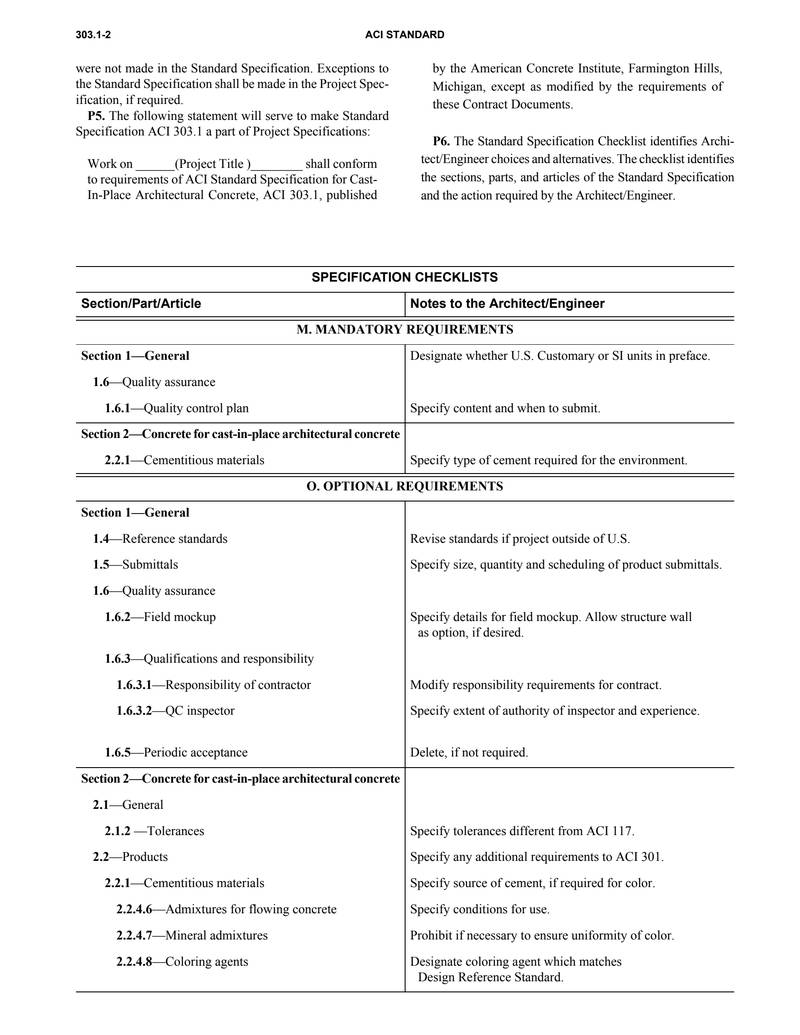
were not made in the Standard Specification. Exceptions to the Standard Specification shall be made in the Project Specification, if required. P5. The following statement will serve to make Standard Specification ACI 303.1 a part of Project Specifications: Work on ______(Project Title )______ shall conform to requirements of ACI Standard Specification for Cast-In-Place Architectural Concrete, ACI 303.1, published | by the American Concrete Institute, Farmington Hills, Michigan, except as modified by the requirements of these Contract Documents. P6. The Standard Specification Checklist identifies Architect/Engineer choices and alternatives. The checklist identifies the sections, parts, and articles of the Standard Specification and the action required by the Architect/Engineer. |
SPECIFICATION CHECKLISTS
| Section/Part/Article | Notes to the Architect/Engineer |
|---|---|
| M. MANDATORY REQUIREMENTS | |
| Section 1—General | Designate whether U.S. Customary or SI units in preface. |
1.6—Quality assurance | |
1.6.1—Quality control plan | Specify content and when to submit. |
| Section 2—Concrete for cast-in-place architectural concrete | |
2.2.1—Cementitious materials | Specify type of cement required for the environment. |
| O. OPTIONAL REQUIREMENTS | |
| Section 1—General | |
1.4—Reference standards | Revise standards if project outside of U.S. |
1.5—Submittals | Specify size, quantity and scheduling of product submittals. |
1.6—Quality assurance | |
1.6.2—Field mockup | Specify details for field mockup. Allow structure wall as option, if desired. |
1.6.3—Qualifications and responsibility | |
1.6.3.1—Responsibility of contractor | Modify responsibility requirements for contract. |
1.6.3.2—QC inspector | Specify extent of authority of inspector and experience. |
1.6.5—Periodic acceptance | Delete, if not required. |
| Section 2—Concrete for cast-in-place architectural concrete | |
2.1—General | |
2.1.2 —Tolerances | Specify tolerances different from ACI 117. |
2.2—Products | Specify any additional requirements to ACI 301. |
2.2.1—Cementitious materials | Specify source of cement, if required for color. |
2.2.4.6—Admixtures for flowing concrete | Specify conditions for use. |
2.2.4.7—Mineral admixtures | Prohibit if necessary to ensure uniformity of color. |
2.2.4.8—Coloring agents | Designate coloring agent which matches Design Reference Standard. |
2
SPECIFICATION CHECKLISTS
| Section/Part/Article | Notes to the Architect/Engineer |
|---|---|
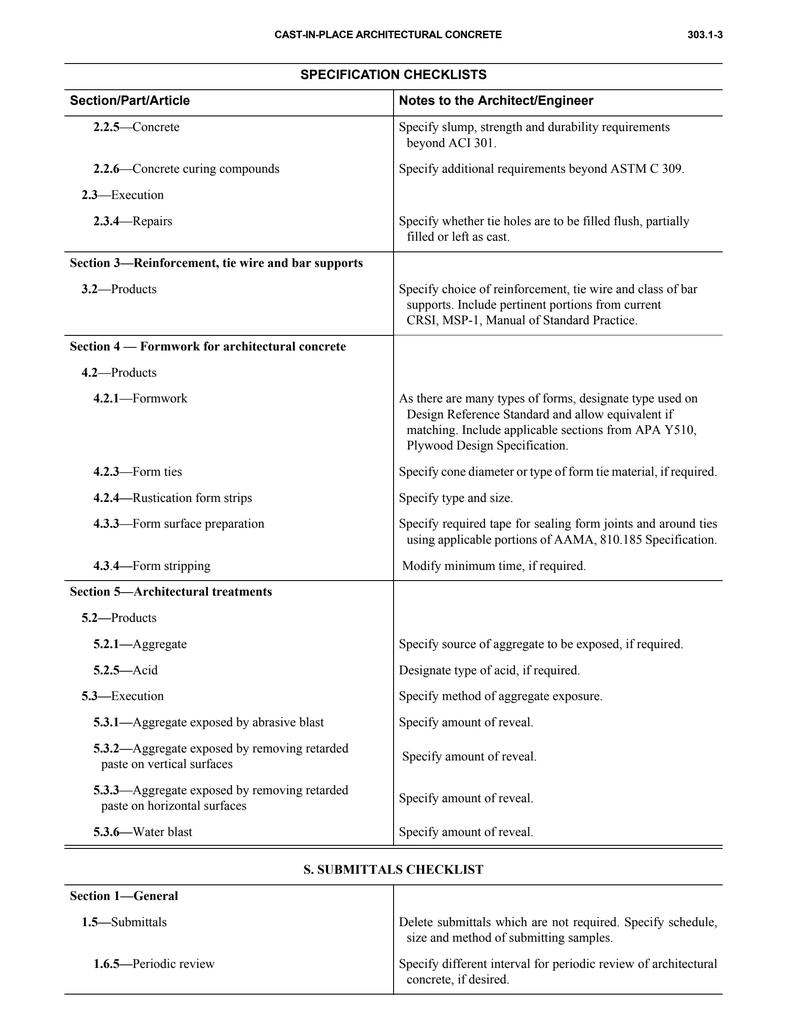
| 2.2.5—Concrete | Specify slump, strength and durability requirements beyond ACI 301. |
| 2.2.6—Concrete curing compounds | Specify additional requirements beyond ASTM C 309. |
| 2.3—Execution | |
| 2.3.4—Repairs | Specify whether tie holes are to be filled flush, partially filled or left as cast. |
| Section 3—Reinforcement, tie wire and bar supports | |
| 3.2—Products | Specify choice of reinforcement, tie wire and class of bar supports. Include pertinent portions from current CRSI, MSP-1, Manual of Standard Practice. |
| Section 4 — Formwork for architectural concrete | |
| 4.2—Products | |
| 4.2.1—Formwork | As there are many types of forms, designate type used on Design Reference Standard and allow equivalent if matching. Include applicable sections from APA Y510, Plywood Design Specification. |
| 4.2.3—Form ties | Specify cone diameter or type of form tie material, if required. |
| 4.2.4—Rustication form strips | Specify type and size. |
| 4.3—Form surface preparation | Specify required tape for sealing form joints and around ties using applicable portions of AAMA, 810.185 Specification. |
| 4.3.4—Form stripping | Modify minimum time, if required. |
| Section 5—Architectural treatments | |
| 5.2—Products | |
| 5.2.1—Aggregate | Specify source of aggregate to be exposed, if required. |
| 5.2.5—Acid | Designate type of acid, if required. |
| 5.3—Execution | Specify method of aggregate exposure. |
| 5.3.1—Aggregate exposed by abrasive blast | Specify amount of reveal. |
| 5.3.2—Aggregate exposed by removing retarded paste on vertical surfaces | Specify amount of reveal. |
| 5.3.3—Aggregate exposed by removing retarded paste on horizontal surfaces | Specify amount of reveal. |
| 5.3.6—Water blast | Specify amount of reveal. |
S. SUBMITTALS CHECKLIST
| Section 1—General | |
| 1.5—Submittals | Delete submittals which are not required. Specify schedule, size and method of submitting samples. |
| 1.6.5—Periodic review | Specify different interval for periodic review of architectural concrete, if desired. |
3
预览内容由文件识别整理,表格、公式及文字请以原始文件为准。
原文图片预览
PAGE IMAGES

下载标准文件
ACI 303.1-97
英语 · PDF · 6 页 · 61.8 KB